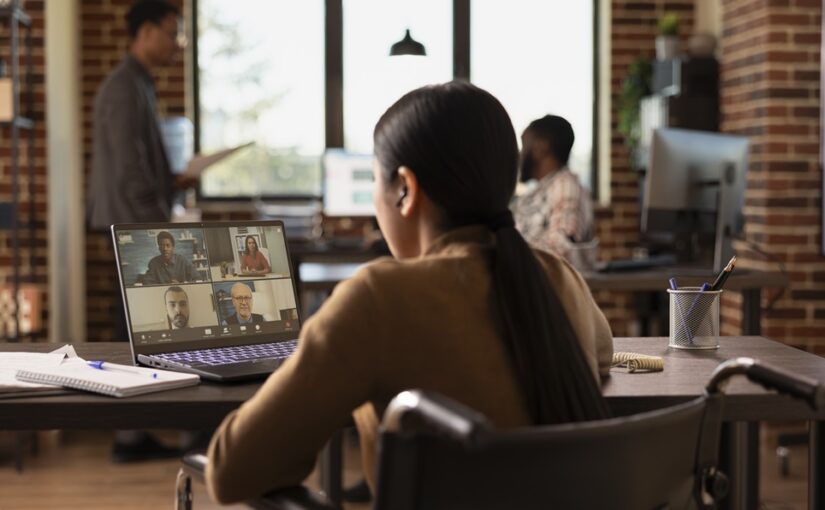
What is Hybrid Working? Everything Businesses Need to Know

Date: Tue Apr 21 Author: BluDesks

Hybrid working is now a standard part of working life for many businesses. Instead of expecting people to be in one place every day, companies can mix home working with office time and in-person meetings. The simplest answer is this: it is a way of working where employees split their time between different locations depending on their role, schedule, and the needs of the business.

The meaning of hybrid working is not tied to a single fixed pattern. It is about combining remote work with access to a professional workspace when needed.

What is hybrid working?

So, what does hybrid working mean in practice? It means employees are not expected to work from the same place all week. Time may be split between home, a company office, a coworking space, or a booked meeting room.

Types of hybrid models

There is no single template for hybrid work, which is why businesses often need to test what suits their team.

  • A fixed schedule model is one of the most common. Employees work from home on set days and come into the office on others, which makes planning easier.
  • A split-week model is similar, but more structured around team attendance. A business might ask teams to come in from Tuesday to Thursday and work remotely on Monday and Friday.
  • An employee-choice model gives staff more freedom to decide where they work, as long as they attend key meetings and meet expectations.
  • A remote-first model keeps most work online, while office space is mainly used for collaboration, onboarding, client meetings, or training.

Benefits of hybrid working for employees

A shorter commute is one of the clearest advantages. Fewer days spent travelling can free up time for family life, exercise, appointments, or simply starting the day with less stress.

Flexibility is another major benefit. Some employees work best at home when they need quiet for focused tasks, while others prefer a professional workspace for structure and fewer interruptions.

Benefits of hybrid working for employers

Companies that offer hybrid arrangements may find it easier to attract and keep good people, especially when candidates expect more choice over where they work.

Retention can improve when employees feel trusted and supported, which can reduce the cost and disruption of frequent hiring.

There can also be savings, as some businesses need less permanent office space when teams are not in every day.

Hybrid working can widen the talent pool as well, since employers are no longer limited to people who live close enough to commute five days a week.

Challenges of hybrid working

Hybrid working is useful, but it still needs planning, clear expectations, and the right tools.

Communication is one of the main challenges. If part of the team is in the room and part is online, remote employees can miss side conversations or quick decisions unless meetings are managed carefully.

Consistency can also be difficult. Managers need clear policies around attendance, availability, data security, and how performance will be measured.

There is also the practical side. Home is not always the best place to work. Some people lack privacy, quiet, reliable internet, or room to take calls. Flexible workspace can help bridge the gap between home and a permanent office.

UK legal context: flexible working requests

In Great Britain, employees have a legal right to request flexible working from their first day in a job. A request can relate to hours, start and finish times, days worked, or where the employee works. Employers must deal with requests in a reasonable manner and usually need to make a decision within two months, unless a longer period is agreed.

There is also more change on the way. Government guidance published in 2026 says the Employment Rights Act 2025 will bring in further reforms to flexible working rules, including a clearer process where employers may need to explain why a refusal is reasonable. According to the government factsheet, these changes are expected to take effect in 2027.

Technology needed to support hybrid teams

Good hybrid working depends on reliable technology. Teams need:

  • secure internet access
  • video conferencing tools
  • shared calendars
  • instant messaging
  • cloud-based documents
  • clear file storage

Meeting room technology is important too, especially when people are joining from different locations. Helpful features include:

  • screens
  • webcams
  • microphones
  • whiteboards
  • dependable wi-fi

If employees can book a desk, office, or meeting room near home when they need one, hybrid working becomes easier to manage.

The role of coworking spaces and hot desks in hybrid models

This is where flexible workspace becomes especially useful. Not every company needs a full-time office for every employee, and not every employee wants to work from home every day.

Coworking spaces and hot desks give hybrid teams a middle ground. They offer a professional place to work, take calls, meet clients, or spend a focused day away from home distractions. They can also help businesses avoid paying for more permanent office space than they need.

A mix of coworking office spaces, daily office space rental, and flexible office space can give businesses room to adapt without locking themselves into a rigid setup.

How BluDesks supports hybrid workers

BluDesks gives businesses and individuals a practical way to make hybrid working work. Instead of committing to one permanent office, users can book workspace as needed.

That might mean a pay-as-you-go desk close to home for a focused workday, a private office for a small team session, or a professional room for a client presentation. BluDesks also makes it easier to find meeting rooms when teams need privacy, AV facilities, whiteboards, and a more polished setting for in-person collaboration. For companies trying to support a hybrid team, that flexibility can be useful.

Hybrid working is no longer a temporary response to changing work habits. For many businesses, it is now part of how they operate. The companies that handle it well tend to give people clear expectations, reliable tools, and easy access to the right kind of workspace.
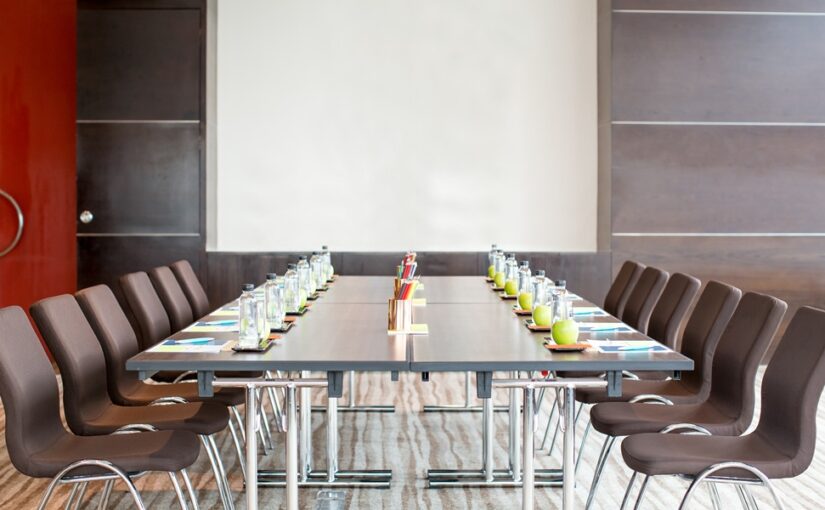
Meeting Room Setup Made Simple: Layout, Tech & Checklist

Date: Tue Apr 21 Author: BluDesks

A good meeting can lose momentum quickly if the room is wrong. Chairs feel cramped, the screen will not connect, remote attendees cannot hear clearly, and someone is adjusting the blinds before the agenda even starts. If you are wondering how to set up a meeting room, the goal is straightforward: create a space where people can see, hear, speak, and focus without delays.

The right setup depends on the meeting itself. A client pitch needs a different approach from a training session or workshop. The number of attendees matters too, especially if some people are joining remotely. Before you move a single chair, think about the purpose of the meeting, how long it will last, and what people need to take part comfortably.

What to consider before setting up a meeting room

Start with the basics. How many people are coming, and how much space will they need? A room that works for six people in a private discussion may feel too tight for a workshop with laptops, notes, and coffee cups on the table. If guests are joining online, sightlines matter just as much as floor space.

You should also think about the tone of the meeting. A boardroom-style layout suits formal decision-making, while a theatre-style room works better for presentations. A cabaret or classroom setup may be better for training or longer sessions where people need space to write or work.

Timing matters too. A short internal catch-up can work in a simpler space, while a longer meeting needs comfortable seating, steady room temperature, and easy access to power. Setting up a room for a meeting is easier when you know exactly what the session needs to achieve.

Choosing the right meeting room layout

Room layout shapes how people interact, how easily they can see a screen, and how formal the session feels.

  • A boardroom layout works well for client meetings, interviews, and strategy sessions where everyone needs to face each other.
  • A theatre layout is better when one person or panel is presenting, and the audience is mainly listening. It keeps attention forward, though it is less useful for note-taking or discussion.
  • A classroom layout suits training days, workshops, and sessions where attendees need space for laptops or printed materials.
  • A U-shape layout is useful when you want discussion and presentation time in the same session. It gives everyone a clear view of the screen and lets the speaker move more easily.

If you are setting up a meeting room for brainstorming or collaborative work, round tables or smaller clusters can help people speak more freely. Just make sure nobody is left straining to see the screen or hear the conversation.

Essential equipment: AV, screens, whiteboards, webcams

Even the best room falls flat if the tech is unreliable. The equipment should match the way the meeting will run.

For presentations, you will usually need a screen or large display, along with dependable connectivity. HDMI and wireless casting options both help, especially if more than one person may present. Good wi-fi is essential.

For hybrid meetings, a webcam should be positioned so remote attendees can see the room clearly, not just the nearest person. A microphone or speakerphone needs to pick up voices from around the table, not only from beside the laptop. If remote guests are joining the discussion, test the audio before anyone arrives.

Whiteboards and flipcharts are still useful for workshops and planning sessions. If people need to charge devices, make sure the sockets are close enough to use without cables trailing across the room.

Lighting, acoustics, and temperature tips

These details are easy to overlook, but they shape how the room feels.

Natural light helps, but glare on a screen does not. If the room has large windows, check whether blinds or curtains can soften the light without making the space too dark. Overhead lighting should be bright enough for note-taking without feeling harsh.

Acoustics matter more than many people expect. Hard surfaces can create echo, which makes long meetings tiring and hybrid calls harder to follow. If you are booking a room, choose one that already sounds clear when people speak at a normal volume.

Temperature can quietly derail a meeting, too. If the room is too warm, focus drops. If it is too cold, people become distracted. Check ventilation, heating, or air conditioning before the meeting starts.

Meeting room setup checklist

Use this checklist before guests arrive:

  • Confirm the number of attendees and choose a room with enough space
  • Pick a layout that suits the purpose of the meeting
  • Test the screen, wi-fi, webcam, and audio equipment
  • Check that charging points and plug sockets are easy to reach
  • Make sure everyone has a clear view of the screen or speaker
  • Adjust lighting to reduce glare and keep the room comfortable
  • Check the temperature before the meeting starts
  • Place whiteboards, markers, notepads, or water where needed
  • Do a final walk-through from an attendee’s perspective

That last step is often the one people miss. Sit where a guest would sit, join the video call from another device, and look at the screen from the back of the room. Small issues are much easier to fix before anyone arrives.

Why renting a fully equipped meeting room saves time and cost

If your business only needs meeting space now and then, creating your own permanent setup can be an expensive fix for an occasional need. You need the room itself, the furniture, the display, the audio kit, reliable internet, and the time to manage it all.

Renting a fully equipped room removes much of that hassle. You book the space you need, for the time you need it, with the equipment already in place. That makes it easier to host client meetings, team sessions, interviews, and presentations without taking on the cost of a permanent office or an underused meeting room.

It also helps on the day. Instead of spending the first 15 minutes hunting for cables or moving furniture, people can get started.

How BluDesks meeting rooms are ready to use instantly

BluDesks meeting rooms are designed to make the process easier. You can book private meeting rooms with the setup already handled, including screens, AV facilities, whiteboards, wi-fi, and the practical features people need for focused discussions.

For businesses working flexibly, this gives you a professional space when you need one, without the commitment and overhead of maintaining your own dedicated room.

If you need a space for your next presentation, team catch-up, workshop, or client meeting, explore BluDesks meeting rooms. It is a simple way to book a room that is ready to use from the moment you walk in.