How to Run a Brainstorming Session That Actually Delivers Ideas

Date: Fri May 15 Author: BluDesks

A good brainstorming session should not feel like an hour of people talking in circles. At its best, brainstorming gives a team space to think openly, challenge the obvious answer and leave with ideas they can use. The better sessions have three things in common: a clear goal, a simple structure and the right setting for focused creative work.

What is brainstorming?

So, what is brainstorming? The simplest meaning of brainstorming is this: it is a structured way to generate ideas by giving people time to share possible answers without judging them too early.

Brainstorming can happen alone or in a group. In a team setting, it works best when people understand the challenge, feel able to think broadly and know that evaluation comes later. The first stage is about creating options. The second is about sorting and choosing the strongest ones.

If every idea is criticised as soon as it appears, people stop contributing. If every idea is accepted without review, the session becomes a wall of sticky notes with no decision. Good brainstorming sits between the two: open enough to invite creativity, but structured enough to produce useful next steps.

Why brainstorming matters

Businesses need fresh thinking, but most people are busy. It is easy for teams to default to familiar answers because they are under pressure, working remotely or solving problems between other tasks.

A well-run brainstorming session gives people dedicated time to focus on one question. It can bring different voices into the same conversation, uncover issues one person may have missed and help teams move from “we should do something” to “here are the options in front of us.”

Brainstorming is useful when a business needs campaign or product ideas, help with a recurring operational problem, improvements to a customer journey, support for an event or launch, or a better way for a team to work together. The best brainstorming ideas do not always come from the loudest person in the room.

Key rules for an effective brainstorming session

Start with a clear question. “How can we improve customer onboarding?” is easier to work with than “Let’s think about customers.” The sharper the prompt, the better the ideas.

Invite the right people. A useful group includes different perspectives, but not so many that the session becomes hard to manage. Around four to eight people are often enough.

Separate idea generation from evaluation. Give people time to produce ideas first, then come back to critique, group and prioritise them. Capture everything on a whiteboard, sticky notes, shared document or digital board so ideas are visible.

End with actions. A brainstorming session should finish with a shortlist, an owner or the next step. Otherwise, the energy disappears as soon as everyone leaves.

Brainstorming techniques to try

Different problems need different methods. These brainstorming techniques can stop the session from being dominated by the same voices or the first idea mentioned.

  • Mind mapping starts with one central topic in the middle of a page or board. The team then adds related ideas, themes, questions and connections. It is useful when the problem feels broad.
  • Brainwriting gives everyone quiet time to write down ideas before the group discusses them. This helps quieter people contribute and avoids the rush towards the first suggestion.
  • Round-robin brainstorming gives each person a turn to share one idea. It works well when you want equal participation and a steady flow of suggestions.
  • Reverse brainstorming asks the opposite question first. Instead of “How can we improve this process?” you might ask, “How could we make this process worse?” The answers often reveal the real pain points. From there, the team flips those negatives into practical improvements.

Solo vs group brainstorming

Solo brainstorming is useful when someone needs quiet focus, deeper thinking or time to research. Group brainstorming is useful when ideas need to be challenged, combined and improved.

A strong approach is to use both. Ask people to think on their own before the meeting, then bring everyone together to compare and develop the strongest ideas. This makes the session more productive because people arrive with something to contribute.

How long should a brainstorming session be?

A brainstorming session does not need to take all afternoon. For a simple topic, 30 to 45 minutes can be enough. For a bigger challenge, 60 to 90 minutes gives more room for warm-up, idea generation, discussion and prioritisation.

A simple structure could look like this:

  • 5 minutes to explain the problem
  • 10 minutes for solo thinking or brainwriting
  • 20 minutes to share and build ideas
  • 15 minutes to group and shortlist
  • 10 minutes to agree on the next steps

Brainstorming tools and space

The best brainstorming tools are the ones your team will actually use. For in-person sessions, sticky notes, flipcharts, whiteboards, markers and printed prompts still work well. For remote or hybrid teams, digital whiteboards, shared documents, polling tools, timers and video calls can support the process.

The tool should not become the session. Keep it simple, make sure everyone knows how to use it, and test screen sharing or Wi-Ffi before people arrive.

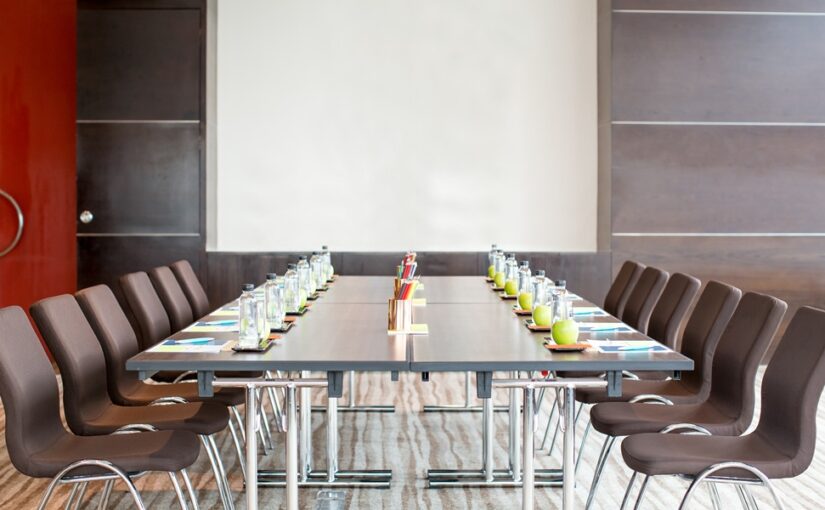
The physical environment matters too. A cramped room, poor lighting, patchy Wi-Fi, or a missing whiteboard can slow everything down. A dedicated meeting room creates separation from daily distractions, gives people space to speak freely and makes it easier to use the tools needed for creative work.

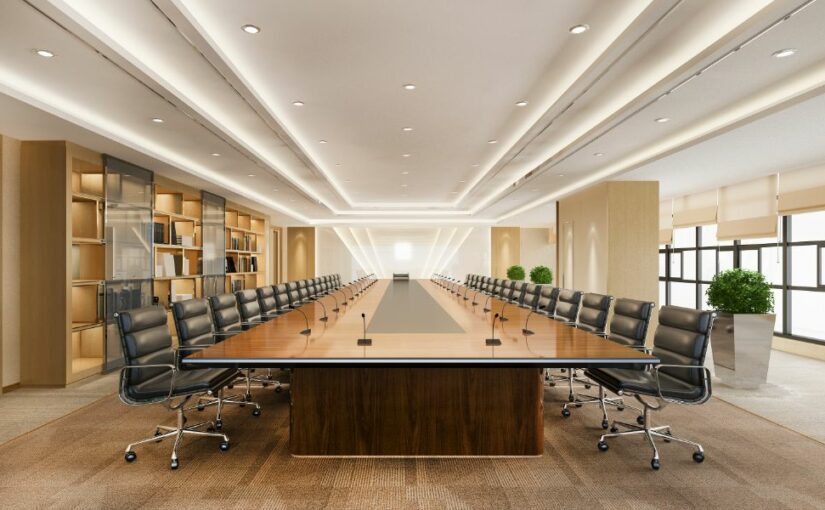
Layout matters as well. A boardroom table may work for decision-making, while clusters, round tables or open space can feel better for workshops. People should be able to see each other, hear clearly, write things down and move ideas around.

Book a brainstorming-ready space with BluDesks

Not every business needs a permanent office or its own creative workshop room. Sometimes, you simply need the right space for a few hours.

BluDesks makes it easy to book fully equipped Meeting Rooms when your team needs privacy, focus and practical facilities. Many rooms include useful features such as Wi-Fi, screens, AV equipment and whiteboards, so you can arrive ready to work rather than spend the first part of the session setting up.

Whether you are planning a campaign, solving a business challenge or bringing a hybrid team together, the right room can help people switch into the right mode. Set a clear goal, choose a simple technique, capture the ideas properly and finish with action. That is how brainstorming moves from a busy conversation to something your team can actually use.  
 

Hybrid Office Design Guide: From Layout to Implementation

Date: Thu May 14 Author: BluDesks

A good hybrid office is not a smaller traditional office. It is a workspace built around how people work now: some days together, some days remotely, and some days somewhere in between. For many businesses, the office is becoming a hub for collaboration, focused work, client meetings and team connection, rather than a place where every employee has a fixed desk five days a week.

A well-planned hybrid workspace gives people choice without making the day feel disjointed. It should be simple to book, easy to use and flexible enough to support focus, meetings and team sessions.

What is a hybrid office?

A hybrid office is a workplace designed for a hybrid office model, where employees split their time between the office and remote locations. Remote work may happen at home, in a coworking space, in a private day office, or anywhere with the right setup.

A hybrid office space differs from a traditional office because it does not assume everyone will be present at once. Instead of rows of assigned desks, the layout usually includes shared desks, meeting rooms, focus areas, breakout spaces and technology that helps in-person and remote colleagues work together.

How a hybrid office differs from a traditional office

In a traditional office, the layout is often based on headcount. A hybrid office layout starts with behaviour instead. How many people come in each day? What do they come in to do? Which tasks need privacy, quiet or equipment?

This changes the purpose of the office. People may come in less often, but when they do, the space needs to support meetings, creative thinking, training, onboarding and concentrated work.

Key design principles for a hybrid office layout

There is no single hybrid office example that works for every business, but most successful layouts include a few core ingredients.

  • Hot desks for flexible attendance, supported by clear booking rules.
  • Collaboration zones, including relaxed seating, project tables or breakout spaces.
  • Quiet zones for deep work, private calls and tasks that require concentration.
  • Video-enabled meeting rooms so remote attendees can see, hear and contribute properly.
  • Flexible furniture, such as movable tables and adaptable layouts.

The main hybrid office layout benefits come from choice and better use of space. Businesses can reduce wasted desks, support different working styles and make office days feel more purposeful.

Technology requirements for a hybrid office

Technology is where many hybrid plans succeed or fall apart. A practical hybrid setup should include reliable Wi-Fi, video conferencing equipment, clear audio, easy screen sharing, plug points and simple booking systems for desks and meeting rooms. Cloud-based tools also help employees access documents wherever they are working.

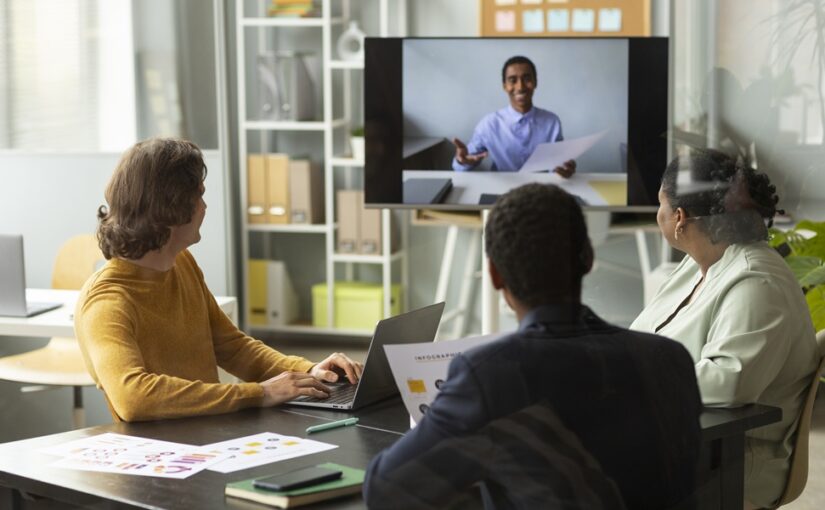
Meeting rooms need attention. A laptop at the end of a table is rarely enough for a proper hybrid discussion. Cameras, microphones, screens, whiteboards and good lighting can make a big difference to how included remote colleagues feel.

Hybrid office examples: what good looks like

A strong hybrid workspace will look different from one business to another. A small agency may need coworking desks twice a week and a meeting room once a month for client presentations. A growing startup may need a private office for two days a week while it tests whether permanent space is needed. A project team may need a room for workshops and training without adding another fixed lease.

The best hybrid office example is the one that fits the rhythm of the team. Good design removes friction. People know where to go, how to book and what type of work each space supports.

How to set up a hybrid office step by step

Start with your working pattern. Look at how many people need space each day, which days are busiest and what teams need when they come together. Avoid designing around assumptions.

Next, map the tasks your space needs to support. Most businesses need a blend of focused work, informal catch-ups, client meetings, private calls and group collaboration. Once you know the tasks, you can match them to the right spaces.

Then decide what you need to own, what you need to rent and what can stay flexible. Not every business needs a permanent full-time office. A mix of coworking office spaces, meeting rooms, daily office space rental and flexible office space can often cover the same needs with less commitment.

Finally, create simple rules around booking desks, using rooms, joining hybrid meetings, keeping shared spaces tidy and choosing the right environment for the task.

Using a flexible workspace as a hybrid solution

Flexible workspaces let businesses scale space up or down as needed. Instead of committing to a long lease before you know your real attendance patterns, you can book space for the hours, days or weeks you need.

This is especially helpful for distributed teams, freelancers, remote-first companies or project-based work. A coworking desk can give someone a professional base for the day. A private day office can bring a small team together. A meeting room can give client presentations, interviews or planning sessions the right setting.

BluDesks makes this easier by giving businesses access to workspaces without the usual long-term commitment. You can book a desk, room or office when it is useful, keep costs tied to actual usage and give your team a professional alternative to the kitchen table or noisy coffee shop.

Building a hybrid office that works in real life

A hybrid office should make work simpler, not more complicated. The best layouts are practical, flexible and built around the way your team already works: fewer empty desks, better meeting spaces, more choice and less pressure to guess what your business will need months from now.

With BluDesks, businesses can create a hybrid office model without taking on a full lease or fitting out a permanent space from scratch. Whether you need coworking office spaces for regular office days, daily office space rental for focused team sessions or meeting rooms for important conversations, you can build a flexible office space setup that grows with your business.


What is Hybrid Working? Everything Businesses Need to Know

Date: Tue Apr 21 Author: BluDesks

Hybrid working is now a standard part of working life for many businesses. Instead of expecting people to be in one place every day, companies can mix home working with office time and in-person meetings. The simplest answer is this: it is a way of working where employees split their time between different locations depending on their role, schedule, and the needs of the business.

The meaning of hybrid working is not tied to a single fixed pattern. It is about combining remote work with access to a professional workspace when needed.

What is hybrid working?

So, what does hybrid working mean in practice? It means employees are not expected to work from the same place all week. Time may be split between home, a company office, a coworking space, or a booked meeting room.

Types of hybrid models

There is no single template for hybrid work, which is why businesses often need to test what suits their team.

  • A fixed schedule model is one of the most common. Employees work from home on set days and come into the office on others, which makes planning easier.
  • A split-week model is similar, but more structured around team attendance. A business might ask teams to come in from Tuesday to Thursday and work remotely on Monday and Friday.
  • An employee-choice model gives staff more freedom to decide where they work, as long as they attend key meetings and meet expectations.
  • A remote-first model keeps most work online, while office space is mainly used for collaboration, onboarding, client meetings, or training.

Benefits of hybrid working for employees

A shorter commute is one of the clearest advantages. Fewer days spent travelling can free up time for family life, exercise, appointments, or simply starting the day with less stress.

Flexibility is another major benefit. Some employees work best at home when they need quiet for focused tasks, while others prefer a professional workspace for structure and fewer interruptions.

Benefits of hybrid working for employers

Companies that offer hybrid arrangements may find it easier to attract and keep good people, especially when candidates expect more choice over where they work.

Retention can improve when employees feel trusted and supported, which can reduce the cost and disruption of frequent hiring.

There can also be savings, as some businesses need less permanent office space when teams are not in every day.

Hybrid working can widen the talent pool as well, since employers are no longer limited to people who live close enough to commute five days a week.

Challenges of hybrid working

Hybrid working is useful, but it still needs planning, clear expectations, and the right tools.

Communication is one of the main challenges. If part of the team is in the room and part is online, remote employees can miss side conversations or quick decisions unless meetings are managed carefully.

Consistency can also be difficult. Managers need clear policies around attendance, availability, data security, and how performance will be measured.

There is also the practical side. Home is not always the best place to work. Some people lack privacy, quiet, reliable internet, or room to take calls. Flexible workspace can help bridge the gap between home and a permanent office.

UK legal context: flexible working requests

In Great Britain, employees have a legal right to request flexible working from their first day in a job. A request can relate to hours, start and finish times, days worked, or where the employee works. Employers must deal with requests in a reasonable manner and usually need to make a decision within two months, unless a longer period is agreed.

There is also more change on the way. Government guidance published in 2026 says the Employment Rights Act 2025 will bring in further reforms to flexible working rules, including a clearer process where employers may need to explain why a refusal is reasonable. According to the government factsheet, these changes are expected to take effect in 2027.

Technology needed to support hybrid teams

Good hybrid working depends on reliable technology. Teams need:

  • secure internet access
  • video conferencing tools
  • shared calendars
  • instant messaging
  • cloud-based documents
  • clear file storage

Meeting room technology is important too, especially when people are joining from different locations. Helpful features include:

  • screens
  • webcams
  • microphones
  • whiteboards
  • dependable wi-fi

If employees can book a desk, office, or meeting room near home when they need one, hybrid working becomes easier to manage.

The role of coworking spaces and hot desks in hybrid models

This is where flexible workspace becomes especially useful. Not every company needs a full-time office for every employee, and not every employee wants to work from home every day.

Coworking spaces and hot desks give hybrid teams a middle ground. They offer a professional place to work, take calls, meet clients, or spend a focused day away from home distractions. They can also help businesses avoid paying for more permanent office space than they need.

A mix of coworking office spaces, daily office space rental, and flexible office space can give businesses room to adapt without locking themselves into a rigid setup.

How BluDesks supports hybrid workers

BluDesks gives businesses and individuals a practical way to make hybrid working work. Instead of committing to one permanent office, users can book workspace as needed.

That might mean a pay-as-you-go desk close to home for a focused workday, a private office for a small team session, or a professional room for a client presentation. BluDesks also makes it easier to find meeting rooms when teams need privacy, AV facilities, whiteboards, and a more polished setting for in-person collaboration. For companies trying to support a hybrid team, that flexibility can be useful.

Hybrid working is no longer a temporary response to changing work habits. For many businesses, it is now part of how they operate. The companies that handle it well tend to give people clear expectations, reliable tools, and easy access to the right kind of workspace.

Meeting Room Setup Made Simple: Layout, Tech & Checklist

Date: Tue Apr 21 Author: BluDesks

A good meeting can lose momentum quickly if the room is wrong. Chairs feel cramped, the screen will not connect, remote attendees cannot hear clearly, and someone is adjusting the blinds before the agenda even starts. If you are wondering how to set up a meeting room, the goal is straightforward: create a space where people can see, hear, speak, and focus without delays.

The right setup depends on the meeting itself. A client pitch needs a different approach from a training session or workshop. The number of attendees matters too, especially if some people are joining remotely. Before you move a single chair, think about the purpose of the meeting, how long it will last, and what people need to take part comfortably.

What to consider before setting up a meeting room

Start with the basics. How many people are coming, and how much space will they need? A room that works for six people in a private discussion may feel too tight for a workshop with laptops, notes, and coffee cups on the table. If guests are joining online, sightlines matter just as much as floor space.

You should also think about the tone of the meeting. A boardroom-style layout suits formal decision-making, while a theatre-style room works better for presentations. A cabaret or classroom setup may be better for training or longer sessions where people need space to write or work.

Timing matters too. A short internal catch-up can work in a simpler space, while a longer meeting needs comfortable seating, steady room temperature, and easy access to power. Setting up a room for a meeting is easier when you know exactly what the session needs to achieve.

Choosing the right meeting room layout

Room layout shapes how people interact, how easily they can see a screen, and how formal the session feels.

  • A boardroom layout works well for client meetings, interviews, and strategy sessions where everyone needs to face each other.
  • A theatre layout is better when one person or panel is presenting, and the audience is mainly listening. It keeps attention forward, though it is less useful for note-taking or discussion.
  • A classroom layout suits training days, workshops, and sessions where attendees need space for laptops or printed materials.
  • A U-shape layout is useful when you want discussion and presentation time in the same session. It gives everyone a clear view of the screen and lets the speaker move more easily.

If you are setting up a meeting room for brainstorming or collaborative work, round tables or smaller clusters can help people speak more freely. Just make sure nobody is left straining to see the screen or hear the conversation.

Essential equipment: AV, screens, whiteboards, webcams

Even the best room falls flat if the tech is unreliable. The equipment should match the way the meeting will run.

For presentations, you will usually need a screen or large display, along with dependable connectivity. HDMI and wireless casting options both help, especially if more than one person may present. Good wi-fi is essential.

For hybrid meetings, a webcam should be positioned so remote attendees can see the room clearly, not just the nearest person. A microphone or speakerphone needs to pick up voices from around the table, not only from beside the laptop. If remote guests are joining the discussion, test the audio before anyone arrives.

Whiteboards and flipcharts are still useful for workshops and planning sessions. If people need to charge devices, make sure the sockets are close enough to use without cables trailing across the room.

Lighting, acoustics, and temperature tips

These details are easy to overlook, but they shape how the room feels.

Natural light helps, but glare on a screen does not. If the room has large windows, check whether blinds or curtains can soften the light without making the space too dark. Overhead lighting should be bright enough for note-taking without feeling harsh.

Acoustics matter more than many people expect. Hard surfaces can create echo, which makes long meetings tiring and hybrid calls harder to follow. If you are booking a room, choose one that already sounds clear when people speak at a normal volume.

Temperature can quietly derail a meeting, too. If the room is too warm, focus drops. If it is too cold, people become distracted. Check ventilation, heating, or air conditioning before the meeting starts.

Meeting room setup checklist

Use this checklist before guests arrive:

  • Confirm the number of attendees and choose a room with enough space
  • Pick a layout that suits the purpose of the meeting
  • Test the screen, wi-fi, webcam, and audio equipment
  • Check that charging points and plug sockets are easy to reach
  • Make sure everyone has a clear view of the screen or speaker
  • Adjust lighting to reduce glare and keep the room comfortable
  • Check the temperature before the meeting starts
  • Place whiteboards, markers, notepads, or water where needed
  • Do a final walk-through from an attendee’s perspective

That last step is often the one people miss. Sit where a guest would sit, join the video call from another device, and look at the screen from the back of the room. Small issues are much easier to fix before anyone arrives.

Why renting a fully equipped meeting room saves time and cost

If your business only needs meeting space now and then, creating your own permanent setup can be an expensive fix for an occasional need. You need the room itself, the furniture, the display, the audio kit, reliable internet, and the time to manage it all.

Renting a fully equipped room removes much of that hassle. You book the space you need, for the time you need it, with the equipment already in place. That makes it easier to host client meetings, team sessions, interviews, and presentations without taking on the cost of a permanent office or an underused meeting room.

It also helps on the day. Instead of spending the first 15 minutes hunting for cables or moving furniture, people can get started.

How BluDesks meeting rooms are ready to use instantly

BluDesks meeting rooms are designed to make the process easier. You can book private meeting rooms with the setup already handled, including screens, AV facilities, whiteboards, wi-fi, and the practical features people need for focused discussions.

For businesses working flexibly, this gives you a professional space when you need one, without the commitment and overhead of maintaining your own dedicated room.

If you need a space for your next presentation, team catch-up, workshop, or client meeting, explore BluDesks meeting rooms. It is a simple way to book a room that is ready to use from the moment you walk in.

Our Guide to Good Meeting Etiquette

Date: Tue Mar 10 Author: BluDesks

Meetings work best when everyone walks in knowing two things: why they’re there, and how the conversation will run. Good meeting etiquette is not only about being formal, it is also about helping people listen, contribute, and leave with a clear next step, in person or online.

What is meeting etiquette?

Meeting etiquette is the set of behaviours that keep a meeting respectful, focused, and useful. It covers how we show up, how we speak, how we use time, and how we treat the space. In practice, etiquette for meetings includes being punctual and prepared, listening without interrupting, staying on track, and closing the loop afterwards.

Why is meeting etiquette important?

A meeting can be expensive without anyone noticing. Ten people in a room for an hour is a full day of working time, before you factor in travel, lost focus, or delays to decisions. Strong meeting manners and etiquette protect time, improve decision-making, reduce friction, and build trust with colleagues and clients. It also keeps shared rooms workable, so the next team is not dealing with leftovers, missing cables, or a layout that makes no sense.

Overall tips for good meeting etiquette

If you only remember a few basics, make them these:

Be clear on the purpose. Are you deciding, brainstorming, updating, or unblocking? If you cannot say it in one sentence, the meeting will drift.

Invite the right people. Too many attendees slows everything down, too few means decisions get revisited later. Invite decision-makers and doers, and keep “FYI” stakeholders to notes.

Be punctual, and start on time. Arriving late throws off the whole group. If you are hosting, respect the people who showed up on time by starting promptly.

Participate constructively. Contribute ideas, ask useful questions, and disagree with the point, not the person. If you are not sure, say so and suggest what information would help.

Minimise distractions. Agree on a norm for devices and stick to it. If laptops are needed for documents, fine, but avoid side emails and constant pings.

Respect speaking turns. The simplest etiquette in a meeting is letting someone finish. If you disagree, note it down and come back with a clear point, not an interruption.

Stay on topic. Use the agenda as your guardrail. If a useful side topic appears, park it and decide who will pick it up.

Pre-meeting etiquette tips

Most meeting problems are set in motion before anyone sits down.

1) Book the right room (or link). Make sure the space fits the headcount and has the basics: screen, power, and reliable Wi‑Fi. Choosing professional, well-equipped meeting rooms means you are not troubleshooting cables five minutes in.

2) Share an agenda early. Keep it short: the goal, the topics, and how long each gets. Add any pre-read links so people can arrive ready.

3) Send what people need to prepare. If attendees need a report, figures, or a draft proposal, share it in advance with a clear ask: “Please review and come ready to choose option A or B.”

4) Assign roles if it matters. For bigger meetings, decide who is chairing, who is timekeeping, and who is capturing actions.

5) Do a quick tech check. Open the deck, test audio, and confirm screen sharing. For hybrid meetings, check the microphone so remote attendees can actually hear.

6) Release the room if plans change. If the meeting is cancelled or moved online, free the space so someone else can use it.

During your meeting etiquette tips

This is where good habits make the difference.

Start on time and frame the meeting. Restate the purpose, the outcome you want, and the end time. A simple “We’re here to decide X by 11:30” keeps everyone aligned.

Listen like you are going to summarise. Ask clarifying questions, reflect back what you heard, and avoid jumping straight to solutions before the problem is agreed upon.

Keep contributions crisp. A helpful structure is: context, recommendation, why it matters, and what you need from the group.

Encourage balanced participation. If one or two people are dominating, invite other voices. For remote attendees, call on them deliberately so they are included.

One conversation at a time. Side chats or long Slack threads while someone is speaking can leave others behind and derail the room.

Be mindful of hybrid etiquette. Mute when you are not speaking, avoid talking over lag, and use the chat for links or questions without hijacking the flow. If you are recording or using an AI note tool, say so upfront.

Respect the space. Keep noise down, avoid eating strong-smelling food, and do not rearrange the room unless you put it back.

Stay mindful of time. Use the agenda timings. If a topic needs more discussion, decide whether to extend (only if everyone agrees) or schedule a follow-up with fewer people.

Take notes and capture actions. Notes are not a transcript. Capture decisions, owners, and deadlines, and clarify anything fuzzy while everyone is still together.

Close with appreciation and clarity. A quick thank you is part of good meeting etiquette. End by recapping decisions and next steps.

Post-meeting etiquette tips

The meeting is not finished until people can act on what was agreed.

1) Send a short follow-up. Within 24 hours, share the decisions, action items (with owners and dates), and any documents. Keep it skimmable.

2) Confirm accountability. If something is blocked, flag it early rather than waiting for the next meeting. If you own an action, acknowledge it and confirm when you will deliver.

3) Close the room properly. Leave the space as you found it: collect rubbish, log out of shared screens, and return chairs to the right places.

4) Reflect and improve. If the meeting ran long or drifted, tweak the next one: shorter agenda, fewer attendees, clearer purpose, or a different format.

Done well, meeting etiquette is almost invisible. People leave on time, decisions stick, and the room feels calm rather than chaotic.

Let the meeting room work for your team

In summary, meeting room etiquette is essential for fostering respectful and productive interactions in professional settings. By adhering to the principles of punctuality, preparedness, active listening, and constructive participation, you can contribute to the success of meetings and cultivate a culture of respect, collaboration, and effectiveness within your organisation. So, the next time you step into a meeting room, remember these key tips for mastering meeting etiquette and making the most of your collective efforts.


The right space makes good meetings even better. Whether you’re planning a team session, client presentation, or strategy workshop, BluDesks makes it easy to find professional, fully equipped meeting rooms when and where you need them. Browse and book meeting rooms near you at BluDesks.


What is a Coworking Space?

Date: Thu Feb 12 Author: BluDesks

Coworking has become one of the simplest ways to get the focus of an office without the cost and commitment of a long lease. It brings people together in a shared workplace where you can rent a desk or office space for a day, a month, or longer, and plug straight into the essentials: reliable Wi‑Fi, meeting rooms, printing, coffee, and a professional environment.

So, what is a coworking space in plain terms? It is a flexible workplace that multiple individuals or businesses share. Instead of one company taking over an entire office floor, the space is designed for different people to work side by side. You typically choose from options like hot desks, dedicated desks, or private offices, and you get access to shared facilities such as meeting rooms and breakout areas.

If you have ever wondered what coworking is and how it differs from working in a café or at home, the big difference is structure. A coworking space is set up specifically for work, with the right furniture, good lighting, quiet areas, and professional amenities. It is built to help you be productive, not distracted.

In other words, what is a coworking space really about? Flexibility, community, and a better work setup.

Who uses coworking spaces?

Coworking is not just for one type of worker. It is used by:

  • Freelancers and consultants who want a dedicated place to work, meet clients, and separate work from home.
  • Remote employees who need a professional base a few days a week, or a change of scene from the kitchen table.
  • Startups and small businesses that want to grow without being locked into long-term office contracts.
  • Project teams that need space for a sprint, a product launch, or a short-term collaboration.
  • Corporate teams looking for satellite space closer to employees, or a place to land while relocating.

A short history of coworking

Modern coworking started in the mid‑2000s as a response to changes in how people work. More freelancing, more startups, and more remote roles created demand for a workspace that was flexible and social, not isolated.

The concept has evolved quickly. Early spaces were often community-driven hubs for creatives and tech workers. Today, coworking includes everything from quiet, professional environments for focused work to large multi-site operators serving global teams. The shift towards hybrid work has only accelerated adoption, because businesses and individuals need a workspace that fits around changing schedules.

Benefits of coworking spaces

The benefits of coworking spaces go beyond having a desk. The right space can improve your working week in practical ways.

1) Flexibility without the long commitment

Traditional office leases can be costly and time-consuming. Coworking lets you scale up or down as needed, whether that means adding a desk for a new hire or switching to a different plan as your workload changes.

2) A professional environment that boosts productivity

Working from home is convenient, but it can also be distracting. Coworking gives you a work-first environment with reliable connectivity, ergonomic seating, and spaces designed for focus.

3) Meeting space when you need it

Many people can do most tasks from a desk, but client calls, interviews, and team meetings need privacy. Coworking spaces typically include bookable meeting rooms, phone booths, and quiet zones.

4) A built-in network

Coworking naturally puts you around other professionals. That can lead to introductions, advice, partnerships, and referrals. Even if you keep your head down most days, it helps to be around people who are building things.

5) Better work-life boundaries

One of the most underrated benefits of coworking spaces is that it restores separation. Commuting a short distance to a workspace, even just a few days a week, can make it easier to switch off after hours.

6) Predictable costs

Coworking is often priced as a simple monthly fee with utilities and core services included. That can make budgeting easier than dealing with separate bills for internet, cleaning, furniture, and maintenance.

How coworking spaces differ from traditional offices

Traditional offices tend to be fixed and company-specific. You sign a lease, furnish the space, manage the services, and take on responsibility for the premises. That can make sense for large organisations with stable headcount, but it can be a lot for smaller teams or businesses in growth mode.

Coworking flips that model. You pay for what you use, and most of the operational burden is handled for you. You can move in quickly, change your plan as needs shift, and use shared amenities that would be expensive to maintain on your own.

There is also a cultural difference. Traditional offices are built around one organisation’s routines. Coworking is designed to support many working styles at once, with a mix of quiet areas, collaboration spaces, and private rooms.

Types of coworking spaces

Not all coworking spaces are the same. Common types include:

  • Hot desking: You pick any available desk when you arrive. Great for flexibility and occasional use.
  • Dedicated desks: Your own assigned desk, often with storage, ideal if you are in regularly.
  • Private offices: Enclosed offices within a coworking environment, suited to small teams or privacy-focused work.
  • Industry-focused spaces: Designed for specific communities, such as creatives, makers, or tech founders.
  • Enterprise coworking: Spaces tailored for larger businesses that need multiple desks, meeting rooms, and secure setups.

Choosing the right type depends on how often you will use the space, how much privacy you need, and whether you want a more social or quieter environment.

How to choose a coworking space

If you are weighing up options and asking what is a coworking space that will actually suit you, it helps to look at the details that affect day-to-day work:

  1. Location and access: Consider commute time, parking, and public transport. A great space is only great if it is easy to use.
  2. Noise and layout: Some spaces feel like a library, others like a buzzing studio. Think about what helps you concentrate.
  3. Internet reliability: Ask about speeds, backup connections, and whether the network can handle video calls all day.
  4. Meeting rooms and privacy: Check how booking works, what is included, and whether there are phone booths or quiet rooms.
  5. Community and support: A friendly, well-managed space makes a big difference. Look for a team that is responsive and a community that feels professional.
  6. Pricing and flexibility: Make sure the plan fits your schedule and that you can adjust as your needs change.

Work from a coworking space with BluDesks

If coworking sounds like the right fit, BluDesks makes it easy to get started. Whether you need a focused desk for deep work, a professional space for client meetings, or a flexible room to grow, you can explore our coworking options and find a setup that suits your routine.

Hot Desking: Definition and Benefits

Date: Thu Feb 12 Author: BluDesks

Hot desking is a simple way for teams to use office space more efficiently. Rather than giving everyone a permanent desk, you share a pool of desks and use one when you need it. This guide explains the hot desking meaning, how it works day to day, the benefits of hot desking, and the basics that keep it running smoothly.

Definition of hot desking

Let’s start with the basics. The definition of hot desking is a flexible way of working where desks are not assigned to specific people. Instead, employees or members choose an available desk when they arrive, and then leave it free for someone else when they are done.

In plain terms, the hot desking meaning is shared desks, used as needed.

What is hot desking in practice? It is a workspace model that supports:

  • Hybrid working, where teams are not in the office every day
  • Project-based work, where people need space for specific tasks
  • Businesses scaling up or down, without a long-term lease

Hot desking does not mean working without comfort or consistency. When it is done well, it gives you professional space, reliable facilities, and the freedom to choose when and how you come in.

How does hot desking work?

Hot desking is straightforward, but the day-to-day experience depends on how the space is set up. Most teams either book ahead or take any available desk, then plug in, connect to Wi-Fi, and start work.

A good hot desking space also gives you choice, such as quieter zones for focus and more social areas for collaboration. When you are done, you clear the desk so it is ready for the next person.

If you want a simple way to try it out, BluDesks offers flexible options through its dedicated hot desk spaces

The benefits of hot desking

There are plenty of reasons businesses are switching to hot desking, but it is not only about saving money. The best outcomes come from a more adaptable, better-used, and easier-to-manage office experience.

1) Better use of space

For many teams, assigned desks sit empty for large parts of the week. Hot desking turns that wasted capacity into something useful. Instead of maintaining one desk per person, you design around real usage. The result is a space that matches how people actually work.

2) Cost efficiency without compromising professionalism

Another key benefit of hot desking is paying less for unused desks, while still giving people a professional place to work. It can also make it easier to scale, without the disruption of moving offices.

3) Supports hybrid work patterns

Hybrid work is now a normal reality for many teams. Hot desking fits naturally because it does not assume everyone is in the office every day. People can come in for collaboration, client meetings, or focused work, and work remotely when that makes more sense.

4) Encourages collaboration across teams

Hot desking can help people sit with different colleagues, share knowledge, and avoid teams becoming siloed.

5) A fresh change of environment

A professional office can improve focus and routine, especially if home working is not always ideal. Hot desking gives people access to a reliable workspace without committing to a fixed desk. It works well for remote workers who want a base sometimes, freelancers who need a consistent place to work, and small teams who want a professional setting on key days.

6) Easier business continuity

Because hot desking is designed around flexibility, it can make it easier to respond to change. Whether you are onboarding new team members, running short-term projects, or adjusting schedules, you can adapt without needing a full office redesign.

7) Improves the overall workplace experience

When hot desking is paired with strong amenities, people often find the workday simpler. Good lighting, comfortable seating, fast internet, and access to meeting rooms all add up. It is not just about where you sit but about having a place that helps you do your best work.

Hot desking infrastructure

Hot desking succeeds or fails on the experience. If people cannot find a desk, take calls privately, or rely on the basics, it will not stick. Here is what matters most.

Reliable connectivity

Fast, stable Wi-Fi is non-negotiable. People need to be able to join video calls, upload files, and work without interruptions. Ideally, there is also clear support if something goes wrong.

Power and desk setup

Every desk should have easy access to power, and the layout should support laptops and peripherals. Comfortable chairs, good desk height, and reasonable spacing help people settle in for a full day.

Bookable meeting rooms

Even if you are using hot desks, you will still need private rooms for client meetings, interviews, team discussions, and quieter video calls. A hot desking space works best when you can book these easily.

Quiet zones and call areas

Not all work should happen in open plan seating. People need areas where they can focus and places where they can take calls without disturbing others. This is one of the most important differences between hot desking that feels productive and hot desking that feels chaotic.

Storage options

Some hot desking users benefit from lockers or secure storage. This keeps the desk clear while still giving people a place for essentials, especially if they visit frequently.

Clear etiquette and simple rules

Hot desking runs smoothly when expectations are clear. Typical rules include keeping desks tidy, using the right zones for calls, and booking ahead when the space is busy.

Supportive on-site management

A well-run space makes a big difference. Friendly staff, clear check-in processes, and quick help when something is not working can turn a good day into a great one.

Is hot desking right for you?

Hot desking is a strong fit if your team works hybrid, travels often, or does not need a fixed seat to be productive. It can also be ideal if you want a professional place to work without the overheads of a dedicated office.

If you are unsure, the easiest way to decide is to try it. Choose a day when you want a more focused environment, or when you have meetings that benefit from being in a professional setting, then see how it feels.

Try hot desking with BluDesks

If you want flexibility without compromising on a professional setup, BluDesks makes it easy to get started. You can book a hot desk office space that suits your schedule, work in a well-supported environment, and scale your office use up or down as your needs change.

How to Chair a Meeting

Date: Wed Jan 14 Author: BluDesks

A meeting can either be a crisp, confidence-boosting use of everyone’s time, or a slow drift into “could this have been an email?” territory. The difference often comes down to the person in the chair. Not the literal chair, although a comfortable one does help.

If you’ve ever wondered about chairing a meeting, it is simple: you are the person responsible for guiding the discussion so the group reaches a clear outcome, without anyone feeling steamrolled, ignored, or trapped in a conversational roundabout.

This guide explains how to chair a meeting in a practical, professional way that works for in-person, hybrid, and online sessions.

Read our guide to good meeting etiquette.

What it means to chair a meeting

Chairing a meeting is not about being the loudest voice or the most senior person in the room. It is about being the anchor. You set the pace, keep the conversation on track, and make sure decisions are made and recorded.

If someone asks, “how do you chair a meeting?”, the honest answer is: you prepare, you guide, and you close. You create a structure that makes it easy for people to contribute, and hard for the meeting to wander.

Do you need a chairperson?

Not every meeting needs a formal chairperson, but most meetings benefit from someone taking ownership of the flow and outcomes.

You probably need a chair when there are decisions to make (not just updates), multiple stakeholders with different priorities, a complex or time-sensitive topic, or a group that tends to drift onto tangents. It also helps when the meeting is recurring, and you want consistency from week to week.

For quick, informal check-ins, the “chair” might simply be the organiser who keeps time and captures actions. For strategy sessions, board meetings, or client workshops, chairing a meeting is a defined responsibility, and it is worth treating it that way.

Role of a chair in a meeting

The role of a chair in a meeting blends leadership and facilitation. You are there to help the group do its best thinking together, then turn that thinking into clear outcomes.

In practice, that means you clarify the purpose and what success looks like, keep discussion aligned to the agenda and time available, and make it easier for everyone to contribute (not just the confident voices). You also manage disagreement constructively when viewpoints clash and ensure decisions, next steps, and owners are captured.

In short, you make sure the meeting produces progress, not just conversation.

What makes a good chair?

A good chair is calm, fair, and organised. They do not need to perform authority, but they do need to use it.

Clarity matters because people cannot align with what they do not understand. Neutrality matters because you are facilitating a group outcome, even when you have your own view. Confidence matters because redirecting the room is part of the job, not an interruption. Listening matters because what is not being said is often as important as what is. Practicality matters because sometimes the most helpful move is parking a topic and moving on.

One of the most underrated skills is saying, politely and firmly, “That’s important, but not for today’s agenda.”

Chairing Duties

Chairing works best when you treat it as a simple sequence: prepare, open, guide, and follow through.

Before the meeting

Define the purpose in one sentence. If you cannot, the meeting may need a clearer brief.

Build a realistic, time-boxed agenda and use headings that signal what is needed: discuss, decide, agree, or update. Then invite only the people who can contribute meaningfully or who need to be part of the decision.

If anyone needs data, context, or proposals to participate well, share pre-reading and expectations early so people arrive informed.

Finally, set up the environment. In person, choose a room that fits the session: enough space, good acoustics, and a layout that supports discussion. If it is an important meeting, a dedicated venue can help everyone focus. BluDesks’ meeting rooms are built for exactly that, with professional spaces that make it easier to think clearly and move quickly.

At the start of the meeting

Start on time, welcome the group, and restate the purpose and the outcome you want by the end. Confirm the agenda and timings, and be clear how you will handle topics that need more time: park them and follow up.

Set a tone for participation, especially for quieter voices. A simple line helps: “If you disagree, please say so. It helps.”

Lastly, confirm roles so everyone knows what is expected: who is presenting, who is taking notes, and who owns each decision point.

During the meeting

Use the agenda as your steering wheel. When the discussion drifts, bring it back to the decision or outcome you need.

Keep an eye on airtime. If one person dominates, invite other perspectives. If the group goes quiet, ask a specific question like, “What is the biggest risk you see with option A?”

Summarise as you go and check agreement. It prevents confusion later and helps the group stay aligned. When you reach a decision, make it explicit: state what was agreed, who owns it, and by when.

If valuable topics pop up that do not fit today’s agenda, capture them in a parking list so they are not lost, but do not derail the meeting. And if there is disagreement, name it without drama: define the two views, outline what success looks like for each, then guide the group to a choice.

After the meeting

Share notes and actions promptly: decisions, actions, owners, and deadlines. Keep it practical.

Follow up where actions are high-impact or time-sensitive so momentum does not fade. Then take a moment to reflect. Did you achieve the purpose? Did the agenda fit? Were the right people in the room? Small improvements compound quickly.

Tips for chairing a meeting

  • Start and end on time.
  • Time-box discussion and keep bringing the group back to the decision you need.
  • Summarise more than you think you have to. It is the simplest way to prevent misunderstanding and protect momentum.
  • Keep a visible running list of actions as you go, so nobody leaves with a different interpretation of what happens next.
  • If the meeting is important, treat the environment as part of the job. A focused space reduces noise and makes better outcomes more likely.

Chairing a meeting is a skill you build, not a personality trait you either have or do not. The more you practise, the more natural it becomes – and when you get it right, people leave clearer, lighter, and ready to do the work that actually matters. If you are planning a session that needs focus, momentum, and a professional setting, book a space that supports the way you want to run the room.


Ice Breakers for Team Meetings

Date: Wed Jan 14 Author: BluDesks

Ever notice how the first two minutes of a meeting can feel like everyone is politely waiting for someone else to become a person? In person, it is the shuffle for a seat, the polite coffee pour, and the unspoken question of who is brave enough to start. Online, it is cameras on, microphones off, a few heroic “Can you hear me?” checks… and then we dive straight into agendas.

That’s where ice breakers for team meetings quietly earn their keep. Done well, they’re not cringey, childish, or time-wasting. They’re a quick reset: a shared moment that helps people relax, speak up, and actually collaborate.

What is an icebreaker?

An icebreaker is a short activity at the start (or sometimes mid-point) of a meeting that warms up the room, literally or virtually. Think of it as the social equivalent of stretching before a run. You don’t stretch because you’re training for the Olympics; you stretch because it helps you move better.

In practical terms, ice breakers for meetings can be:

  • A quick question everyone answers
  • A lightweight mini-game
  • A prompt that gets people sharing opinions, ideas, or context

The goal isn’t comedy (though a little classy humour never hurts). The goal is connection, momentum, and better participation.

The benefits of ice breakers for team meetings

When you choose the right ice breaker ideas for meetings, the payoff is real-and often immediate.

1) People speak sooner and more confidently

If someone has already said something in the first few minutes, they’re more likely to contribute later. Icebreakers reduce that “first time speaking” friction.

2) Meetings become more inclusive

Not everyone loves jumping into debate mode. Icebreakers give quieter team members an easier entry point and create a more even playing field.

3) You get better collaboration (not just updates)

When people feel comfortable, they ask better questions, challenge assumptions more thoughtfully, and share ideas earlier, before decisions harden.

4) They set the tone you actually want

If you want open conversation, psychological safety, and honest problem-solving, the meeting has to feel like a space where that’s welcome. A good icebreaker signals: “We’re here to work together, not perform productivity.”

5) They’re especially useful for hybrid and remote teams

In a room, you get natural small talk while people arrive. Online, you mostly get silence and a grid of faces pretending they’ve never met a human before. Icebreakers recreate the missing “arrival moment”.

If you’re running in-person sessions, a change of environment can help too, especially for workshops or recurring leadership meetings. If you need an easy, professional venue option, BluDesks’ meeting rooms can give teams space to think clearly and collaborate without office distractions.

How long should an icebreaker be?

Shorter than you think.

  • 2–5 minutes is the sweet spot for most regular meetings
  • 5–10 minutes works for workshops, kick-offs, or sessions with new groups
  • Under 2 minutes can still work (a single prompt, one-word check-in, quick vote)

A useful rule: the shorter the meeting, the lighter the icebreaker. Nobody wants a 12-minute game before a 15-minute catch-up. (That’s how you end up with an icebreaker that needs its own icebreaker.)

Also, match the energy to the context:

  • Monday morning: keep it gentle
  • After lunch: add something punchier
  • High-stakes meeting: choose calm, grounding prompts

Ice breaker games for team meetings

Games don’t need props, awkward acting, or forced enthusiasm. The best ice breaker games for meetings are simple, fast, and easy to join.

1) “Two Truths and a Stretch”

A modern twist: two true statements and one “stretch goal” for the week/month. Great for teams who want something personal and work-relevant.

Why it works: it’s low-pressure, reveals interesting context, and gets people talking beyond tasks.

2) “This or That (Work Edition)”

Put two options in the chat or on a slide:

  • Deep work vs quick wins
  • Meeting notes vs action items
  • Early mornings vs late nights

People answer quickly, then you ask one or two “why?” follow-ups.

Why it works: fast, funny, and surprisingly revealing about working styles.

3) “One-Word Weather Report”

Everyone shares one word for their current state: “Sunny”, “Foggy”, “Stormy”, “Breezy”.

Optional: add a second word for what would help.

Why it works: emotionally intelligent without being overly personal.

4) “Show & Tell (30 Seconds)”

Ask people to share one item from their desk or workspace and why it’s there.

Why it works: it’s human, visual, and easy, especially on video calls.

5) “The GIF Summary”

Prompt: “Drop a GIF that describes your week so far.”

Then pick two to comment on (don’t analyse everyone’s GIF like it’s a performance review).

Why it works: quick, playful, and great for remote teams.

6) “Would You Rather… but Useful”

Examples:

  • Would you rather have a 4-day workweek or no meetings on Wednesdays?
  • Would you rather get instant feedback or surprise praise?
  • Would you rather plan everything or improvise?

Why it works: It’s light, but it leads into real preferences and team norms.

7) “Win of the Week”

Each person shares one small win; work, or personal. Keep it brief.

Why it works: resets the mood and encourages recognition without turning into a humblebrag Olympics.

Ice breaker questions for team meetings

If you want the simplest possible approach, questions are the easiest win. The best ice breaker questions for team meetings are easy to answer, genuinely interesting, and not too personal.

Here are options you can rotate depending on the team and the type of meeting.

Quick, low-pressure starters

  • What’s one word for how you’re arriving today?
  • What’s one small thing you’re looking forward to this week?
  • What’s your current “default tab” (what’s been on your mind lately)?

Work-style and collaboration questions

  • What helps you do your best work when things get busy?
  • What’s one thing you wish people knew about how you like to work?
  • What’s a meeting habit we should keep, and one we should retire?

Creative or funny prompts

  • If this meeting had a soundtrack, what would it be?
  • What’s your “unexpectedly useful” skill?
  • What’s a tiny hill you’ll happily die on at work? (Example: “If it isn’t written down, it isn’t real.”)

Meeting-relevant questions (great for kick-offs)

  • What would make this meeting a success for you?
  • What’s one risk we should watch for?
  • What’s one thing you’re hoping we clarify today?

Team-building without the cringe

  • What’s something you’ve learned recently (big or small)?
  • What’s a moment you felt proud of the team in the last month?
  • What’s a tradition or ritual we should start?

If you’re not sure where to begin, start with one question, keep it consistent for a few meetings, then evolve it. The goal is to build a rhythm, not a one-off performance.

A simple way to choose the right icebreaker

When deciding between ice breakers for team meetings, ask three quick questions:

  1. What’s the mood in the room? (tired, tense, excited, distracted)
  2. What does the meeting need? (energy, honesty, focus, creativity)
  3. How well does everyone know each other? (new group vs familiar team)

Then match:

  • Need focus – one-word check-in or success criteria question
  • Need energy – GIF summary or This/That
  • Need trust – win of the week or work-style prompt

Used consistently, the right ice breakers for meetings don’t feel like an “extra”. They feel like the part where the meeting finally becomes a meeting.

Used consistently, the right icebreakers don’t just warm up a meeting; they shape how people think, contribute, and work together. And if you’re running in-person sessions, the setting matters just as much as the structure. A change of environment can sharpen focus, encourage openness, and make collaboration feel intentional again. For workshops, leadership sessions, or recurring team meetings, BluDesks’ professional meeting rooms offer a calm, flexible space designed to help teams connect and do their best thinking, without the usual office distractions.


Meeting Room Layout Ideas: How to Set Up the Perfect Space

Date: Thu Dec 11 Author: BluDesks

You can book the nicest meeting room in the world – but if the layout isn’t right, the session will still fall flat. The way you arrange tables and chairs affects how people interact, how well they can see and hear, and even how confident they feel speaking up.

If you’re browsing meeting room layouts and wondering which one will actually support your agenda, you’re not alone. There are lots of room layouts for meetings to choose from, and each one suits different types of conversations and events.

Below, we’ll walk through popular meeting room layout styles, explain when to use them, and dive into two of the most useful formats: the cabaret layout meeting room and the classroom layout meeting room.

Types of meeting room layouts and when to use them

Before you book a space, it helps to understand the main meeting room layout ideas you’ll come across. Here are some of the most common options and where they work best.

Boardroom layout

A classic boardroom layout places everyone around a single central table. It’s ideal for:

  • Decision-making sessions
  • Smaller leadership meetings
  • Interviews or high-stakes discussions

Because everyone faces each other, it’s great for eye contact and open conversation, but less effective for larger groups or training-style events.

Theatre layout

Theatre style is rows of chairs all facing the front, with no tables. It’s perfect for:

  • Presentations and briefings
  • Town-hall style updates
  • Speaker events

You can fit more people into the room, but it’s not designed for note-taking, laptops or group work.

U-shape or horseshoe layout

Tables arranged in a U shape give everyone a clear view of the front while still being able to see one another. This layout suits:

  • Workshops with a facilitator
  • Training with discussion
  • Strategy or planning sessions

It encourages participation but still keeps focus towards the presenter or screen.

Hollow square

Similar to a boardroom, but with a square of tables and a gap in the middle. Hollow square works well for:

  • Group discussions
  • Project kick-offs
  • Cross-department meetings

It’s collaborative, but can feel a little formal for creative sessions.

Informal / lounge layout

Think sofas, armchairs, coffee tables and a more relaxed feel. This style is useful when you want:

  • Creative brainstorming
  • One-to-ones or small team check-ins
  • Less hierarchical conversation

It’s not ideal for note-heavy workshops, but great for building relationships and candid discussion.

Now let’s look more closely at two specific meeting rooms layout options that often work brilliantly for training, workshops and learning-focused events.

Cabaret layout meeting room

A cabaret layout meeting room uses small, round or square tables dotted around the space, with chairs placed only around part of each table so everyone faces the front. Think of it as the best bits of theatre style, with added comfort and collaboration.

This layout is ideal when you want people to work in small groups but still engage with a presenter or screen. It’s particularly useful for:

  • Interactive workshops
  • Strategy days with breakout activities
  • Team-building sessions
  • Conferences with group exercises between talks

Pros of a cabaret layout

  • People can talk and work together without twisting in their chairs.
  • The front of the room stays in clear view for slides or live demos.
  • It feels more social and informal than rows of chairs.

Things to consider

Cabaret uses more floor space than theatre style, so capacity may be lower. If you’re booking through a platform like BluDesks, check the maximum numbers for a cabaret setup and whether the room can be reconfigured if your agenda changes.

Classroom layout meeting room

A classroom layout meeting room has rows of tables with chairs behind them, all facing the front – just like a traditional classroom. Each person has a surface for a laptop, notes or training materials, which makes it a practical option for:

  • Formal training courses
  • Software demos or product training
  • Exams or assessments
  • Longer learning sessions where people need to write or type

Pros of classroom layout

  • Everyone has space for devices, notebooks and handouts.
  • The room feels focused, with attention naturally directed to the front.
  • It works well with hybrid setups, where a trainer might be presenting remotely.

Things to consider

Classroom style is less interactive than cabaret or U-shape. You can still build in discussion, but you may need to plan specific moments where people turn to those next to them or move into small groups. If your goal is collaboration rather than instruction, another meeting room layout style may be a better fit.

Which layout is best for my meeting?

With so many meeting room layouts available, the right choice depends on what you’re trying to achieve. A quick way to decide is to ask three questions:

Is this about telling, discussing or doing?
For mainly telling (presentations, briefings), a theatre or a classroom often works well.
For discussing (decision-making, strategy), try a boardroom, U-shape or hollow square.
For doing (workshops, training with exercises), the cabaret layout meeting rooms are often the most flexible

How much interaction do you want?
If you need high levels of participation, choose a layout where people can easily see and talk to each other – cabaret, U-shape or hollow square. If interaction is minimal, a theatre or a classroom will usually be more efficient.

What do people need in front of them?
If attendees need laptops, workbooks, or plenty of space for notes, classroom and cabaret layouts are strong options. If you only need people to listen and occasionally raise a question, theatre style may be enough.

You can also mix room layouts for meetings on the same day. For example, start with a theatre-style keynote, then shift to cabaret tables for afternoon workshops. When you book flexible space rather than a fixed conference venue, it’s often easier to adapt your setup to match each part of the agenda.

Try different meeting room layout ideas with BluDesks

Choosing the right layout is only half the story – you also need a space that can be configured to match your plan. That’s where BluDesks comes in.

Through BluDesks, you can book a wide range of flexible meeting room layout options, from small boardrooms to larger spaces set up in cabaret or classroom style. Many venues can switch between different meeting room layout styles on the day, so you’re not locked into one format if your agenda evolves.

If you’re planning a workshop, training session or strategy day and want to try out different meeting room layout ideas, take a look at BluDesks’ meeting rooms in London. You can filter by capacity, facilities and layout, then reserve exactly the kind of space you need – without signing a long lease or committing to a traditional conference package.

With the right layout, your next strategy session, workshop or training day won’t just run smoothly – it will actually deliver the outcomes you planned for.