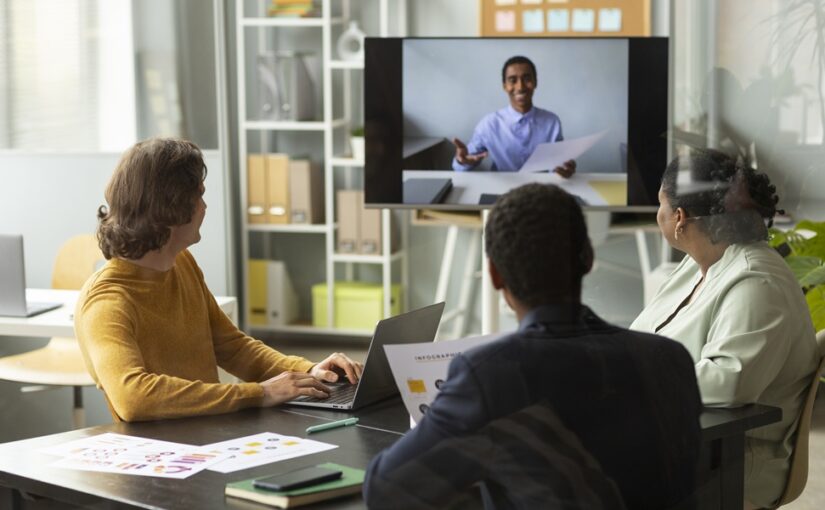
A good hybrid office is not a smaller traditional office. It is a workspace built around how people work now: some days together, some days remotely, and some days somewhere in between. For many businesses, the office is becoming a hub for collaboration, focused work, client meetings and team connection, rather than a place where every employee has a fixed desk five days a week.
A well-planned hybrid workspace gives people choice without making the day feel disjointed. It should be simple to book, easy to use and flexible enough to support focus, meetings and team sessions.
What is a hybrid office?
A hybrid office is a workplace designed for a hybrid office model, where employees split their time between the office and remote locations. Remote work may happen at home, in a coworking space, in a private day office, or anywhere with the right setup.
A hybrid office space differs from a traditional office because it does not assume everyone will be present at once. Instead of rows of assigned desks, the layout usually includes shared desks, meeting rooms, focus areas, breakout spaces and technology that helps in-person and remote colleagues work together.
How a hybrid office differs from a traditional office
In a traditional office, the layout is often based on headcount. A hybrid office layout starts with behaviour instead. How many people come in each day? What do they come in to do? Which tasks need privacy, quiet or equipment?
This changes the purpose of the office. People may come in less often, but when they do, the space needs to support meetings, creative thinking, training, onboarding and concentrated work.
Key design principles for a hybrid office layout
There is no single hybrid office example that works for every business, but most successful layouts include a few core ingredients.
- Hot desks for flexible attendance, supported by clear booking rules.
- Collaboration zones, including relaxed seating, project tables or breakout spaces.
- Quiet zones for deep work, private calls and tasks that require concentration.
- Video-enabled meeting rooms so remote attendees can see, hear and contribute properly.
- Flexible furniture, such as movable tables and adaptable layouts.
The main hybrid office layout benefits come from choice and better use of space. Businesses can reduce wasted desks, support different working styles and make office days feel more purposeful.
Technology requirements for a hybrid office
Technology is where many hybrid plans succeed or fall apart. A practical hybrid setup should include reliable Wi-Fi, video conferencing equipment, clear audio, easy screen sharing, plug points and simple booking systems for desks and meeting rooms. Cloud-based tools also help employees access documents wherever they are working.
Meeting rooms need attention. A laptop at the end of a table is rarely enough for a proper hybrid discussion. Cameras, microphones, screens, whiteboards and good lighting can make a big difference to how included remote colleagues feel.
Hybrid office examples: what good looks like
A strong hybrid workspace will look different from one business to another. A small agency may need coworking desks twice a week and a meeting room once a month for client presentations. A growing startup may need a private office for two days a week while it tests whether permanent space is needed. A project team may need a room for workshops and training without adding another fixed lease.
The best hybrid office example is the one that fits the rhythm of the team. Good design removes friction. People know where to go, how to book and what type of work each space supports.
How to set up a hybrid office step by step
Start with your working pattern. Look at how many people need space each day, which days are busiest and what teams need when they come together. Avoid designing around assumptions.
Next, map the tasks your space needs to support. Most businesses need a blend of focused work, informal catch-ups, client meetings, private calls and group collaboration. Once you know the tasks, you can match them to the right spaces.
Then decide what you need to own, what you need to rent and what can stay flexible. Not every business needs a permanent full-time office. A mix of coworking office spaces, meeting rooms, daily office space rental and flexible office space can often cover the same needs with less commitment.
Finally, create simple rules around booking desks, using rooms, joining hybrid meetings, keeping shared spaces tidy and choosing the right environment for the task.
Using a flexible workspace as a hybrid solution
Flexible workspaces let businesses scale space up or down as needed. Instead of committing to a long lease before you know your real attendance patterns, you can book space for the hours, days or weeks you need.
This is especially helpful for distributed teams, freelancers, remote-first companies or project-based work. A coworking desk can give someone a professional base for the day. A private day office can bring a small team together. A meeting room can give client presentations, interviews or planning sessions the right setting.
BluDesks makes this easier by giving businesses access to workspaces without the usual long-term commitment. You can book a desk, room or office when it is useful, keep costs tied to actual usage and give your team a professional alternative to the kitchen table or noisy coffee shop.
Building a hybrid office that works in real life
A hybrid office should make work simpler, not more complicated. The best layouts are practical, flexible and built around the way your team already works: fewer empty desks, better meeting spaces, more choice and less pressure to guess what your business will need months from now.
With BluDesks, businesses can create a hybrid office model without taking on a full lease or fitting out a permanent space from scratch. Whether you need coworking office spaces for regular office days, daily office space rental for focused team sessions or meeting rooms for important conversations, you can build a flexible office space setup that grows with your business.